





























Instagram Restyle Secrets: Transform Your Background with AI

Okay, real talk time besties, have you been scrolling Instagram and suddenly paused because someone’s photo looked too perfect? Like, unreal-perfect? That little “how did they even do that?!” moment? Yeah, now you don’t have to wonder anymore.
Instagram just rolled out this thing called Restyle, and honestly, it feels like magic. Picture this: you snap a selfie in your messy bedroom, tap a button, and suddenly poof you’re standing in a pastel studio, a European city, or maybe even chilling on a dreamy beach at sunset. No green screen. No Photoshop. Just your phone, a prompt, and a sprinkle of AI fairy dust.
Restyle Unpacked
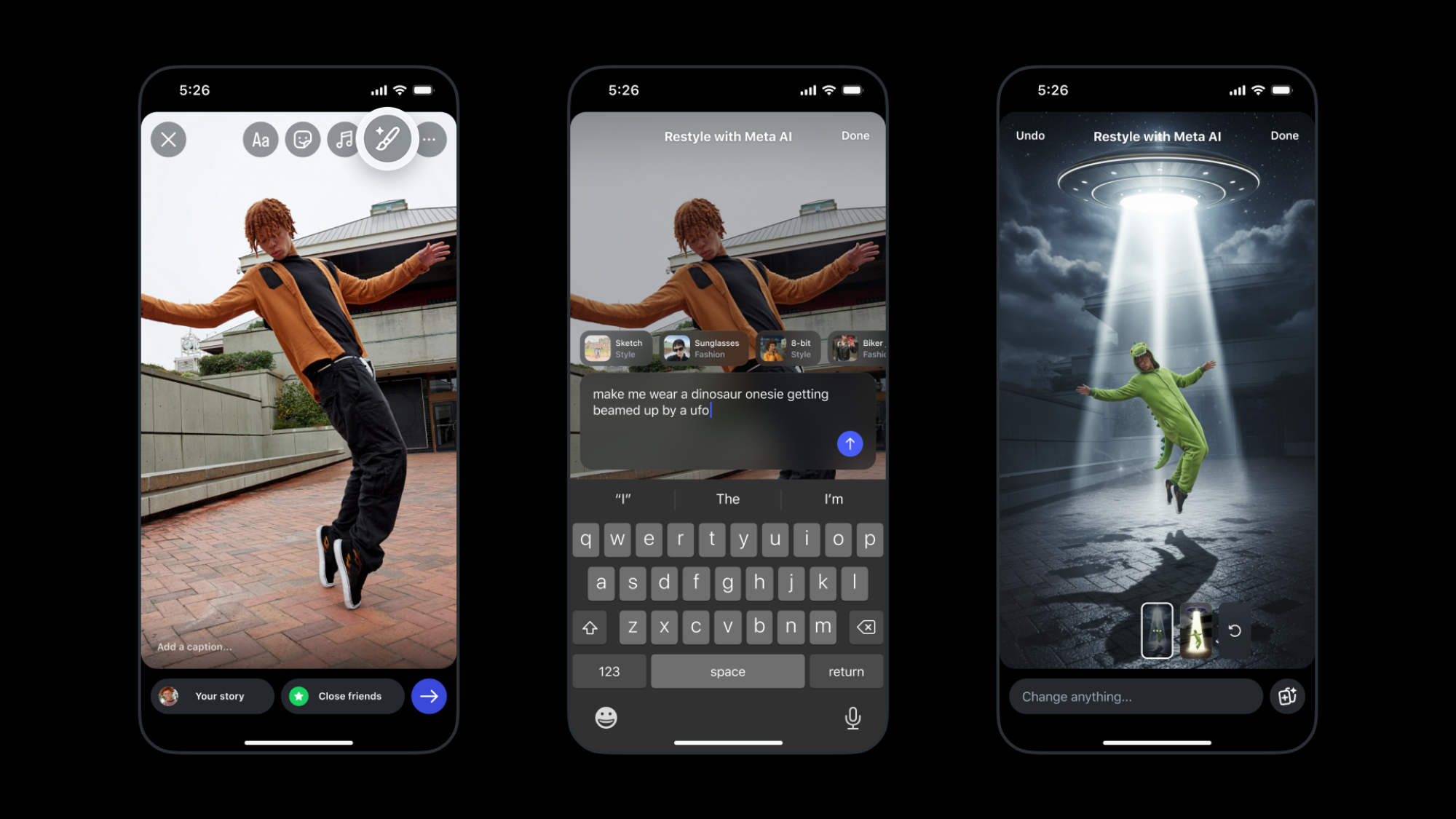
Restyle isn’t just another filter. It’s Instagram’s mini AI studio right inside Stories and Reels. You can pick a preset effect, like “watercolor” or “vintage,” or type your own prompt, and the AI literally redraws the background for you.
Here’s the thing though: it’s not available everywhere yet. Instagram is rolling it out regionally, and some users have reported it disappearing randomly (thanks, Reddit). So if you don’t see it on your account… don’t panic. It’s coming.
Restyle Increasing Interest
What makes Restyle so addictive isn’t just the backgrounds themselves, it’s how easy it is to level up your content:
Photos AND Videos: Yup, it works for both. Videos keep the AI background consistent throughout the clip, so your Story or Reel instantly looks pro.
AI Sticker Credit: When you post, Instagram adds a little “AI • Backdrop” sticker with your prompt. Your followers will know you’re using the magic.
Creative Freedom: You can get really detailed with prompts. Want a golden-hour sunset over a futuristic city? Type it in. The AI will try to make it happen.
A Little Behind-the-Scenes Hack
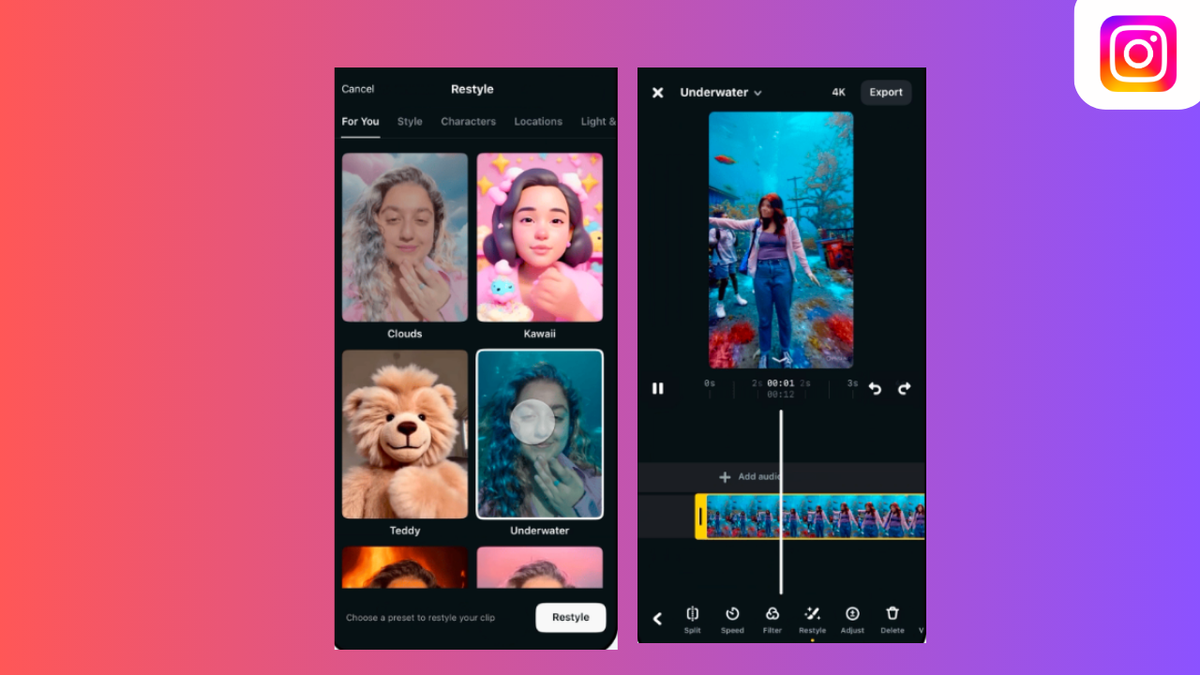
• Take your photo or video, this is your base frame.
• Tap Restyle, select Solid, and type a prompt for your vibe. Let the AI work its magic.
• For that extra slick content, hop into an editing app: add overlays, remove backgrounds, duplicate layers if needed, and clean up the edges.
• And voilà, your messy room just turned into a mini studio shoot in seconds.
Should You Go For It?
Absolutely. It’s fun, it’s fast, and it makes content creation feel like playing with digital clay. Sure, it’s limited right now and only available in some regions, but if you get access, it’s a total game-changer for creators, small businesses, or anyone who wants their Stories and Reels to pop without hours of editing.
So go ahead, give it a spin, and get ready to level up your Instagram aesthetic.
Related Posts

Instagram: Can Instagram’s First Draft Make Reel Editing Faster?

Instagram Has a New Look — But Does It Really Matter to Creators?

Can Instagram’s New AI Rules Accidentally Hurt Real Creators?

Why Creators Should Stop Judging YouTube Success by Views Alone