





























YouTube New ‘Thumbnail Test & Compare’ Feature:

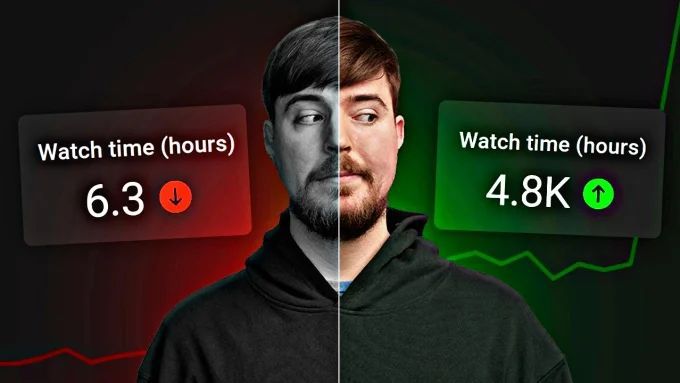
Better engagement, better revenue! The YouTube team has finally introduced a feature that can help content creators increase their videos’ Watch Time on the platform. Thumbnail Test & Compare is an amazing tool that enables people to make various thumbnails for their videos to see which works better for them. Let’s find out what’s more hidden in this new function for creators!

What is the ‘Thumbnail Test & Compare’ Feature?
Recent hot talk among YouTube creators is circulating about the “Thumbnail Test & Compare” feature benefits, and we cannot overlook it either! With access to this feature, YouTubers can upload 3 thumbnails for one single video before displaying it to the public! Here is the best part: the platform runs A/B tests to analyse with a limited group of audience to get insight which one drives the highest watch time, not only CTR (click-through rate).
Latest Updates (2026)
- This latest update is now available for selected YouTube creators and is likely to expand more soon.
- Additionally, it can be performed on both video formats: the new uploads and the older uploads.
- However, this feature accesses real-time data, so it can improve the performance of the thumbnail with the best pick.
Why Should You Use It?
After the launch of this feature on the platform, observers noted its emphasis on watch time rather than CTR. Whereas it pushes the videos selected by YouTube, it essentially functions as a data-driven decision. Lastly, it’s a time saver that allows us to avoid manual testing, which includes third-party apps.

How to Access the Feature
- Open the YouTube App on your device with the latest version.
- Now, upload a new video or go to any older video.
- Under the Thumbnail section, click on three dots (…) and then “Test & Compare”.
- Create 3 thumbnails and upload them.
- Now wait and let the platform survey them and find the best one for your video.
However, if you don’t have the “Test & Compare” option, it can be either
- You are signed in to a “Made for Kids” mode.
- Or you haven’t enabled the advanced settings yet.
- To enable your advanced feature:
- Go to the settings, select channel, and then feature eligibility.
- Enable the Advance feature.
Note: If you still don’t get the Test & Compare feature after enabling the advanced feature, be patient; it will gradually become available to your region.
Final Thoughts:
This latest update is a must-try for seasoned creators or beginner creators; it will increase the views and online engagement. Although you can also access Ytviews.in services for wider availability of the feature because Ytviews offers globally organic social media promotional services, including views, likes, comments, and many more, with a 100% money-back guarantee!
0 comments on “YouTube New ‘Thumbnail Test & Compare’ Feature:”
Leave a Reply
Related Posts

Netflix Opens the Door for India’s Next Generation of Storytellers

TikTok Takes Comments to the Next Level with Voice, Polls and Carousels
Is YouTube Making Shorts Revenue Harder?
YouTube: YouTube’s September Monetization Changes




Great article, very helpful!