






























YouTube moves the Remix button for shorts

The location of the remix option for shorts was recently moved by YouTube. This update may seem small and simple, but it changes how creators access the existing content and use it for their own videos such as remixing, collaborating, and extracting audio.
What Is the YouTube Remix Feature?
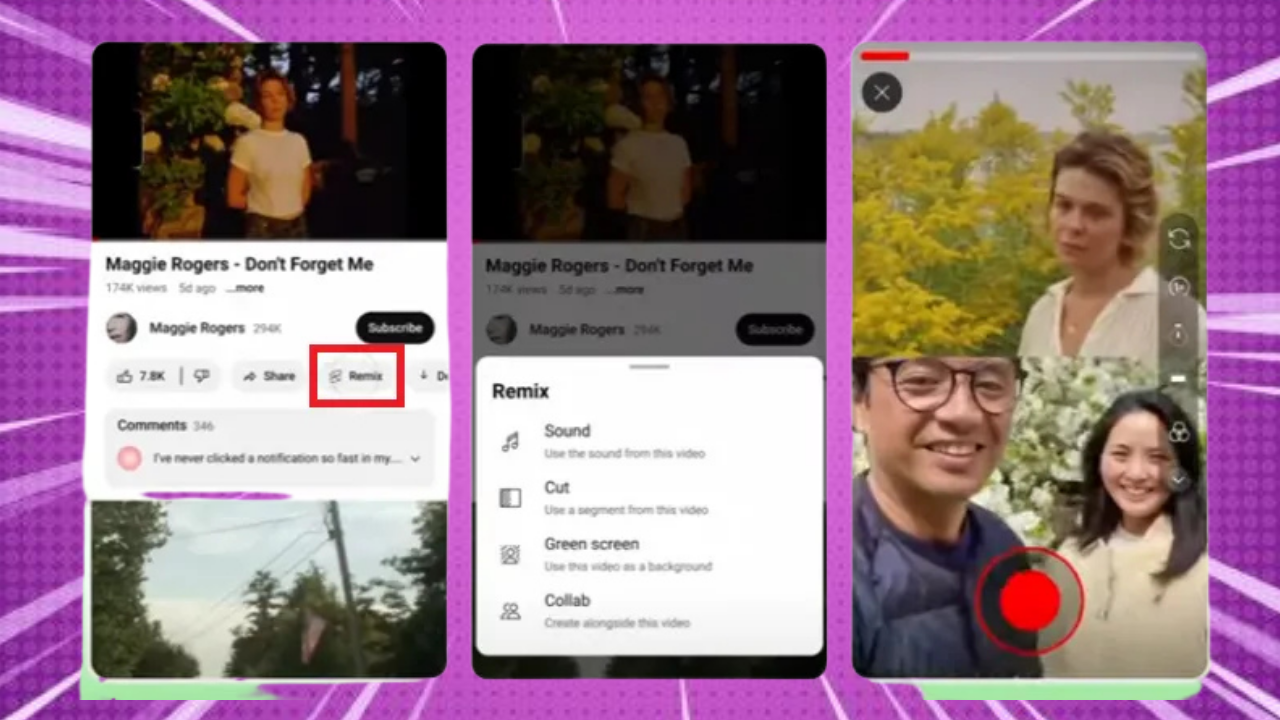
The remix feature gives access to creators to use parts of existing content on YouTube to create their own videos or shorts. Depending on the available options, a creator can use tools such as cut, collab, audio, or green screen to add their own creative twist to it. This makes it easier for creators to hop on trends and create videos they enjoy watching
themselves.
Where Can Creators Find the Remix Option Now?
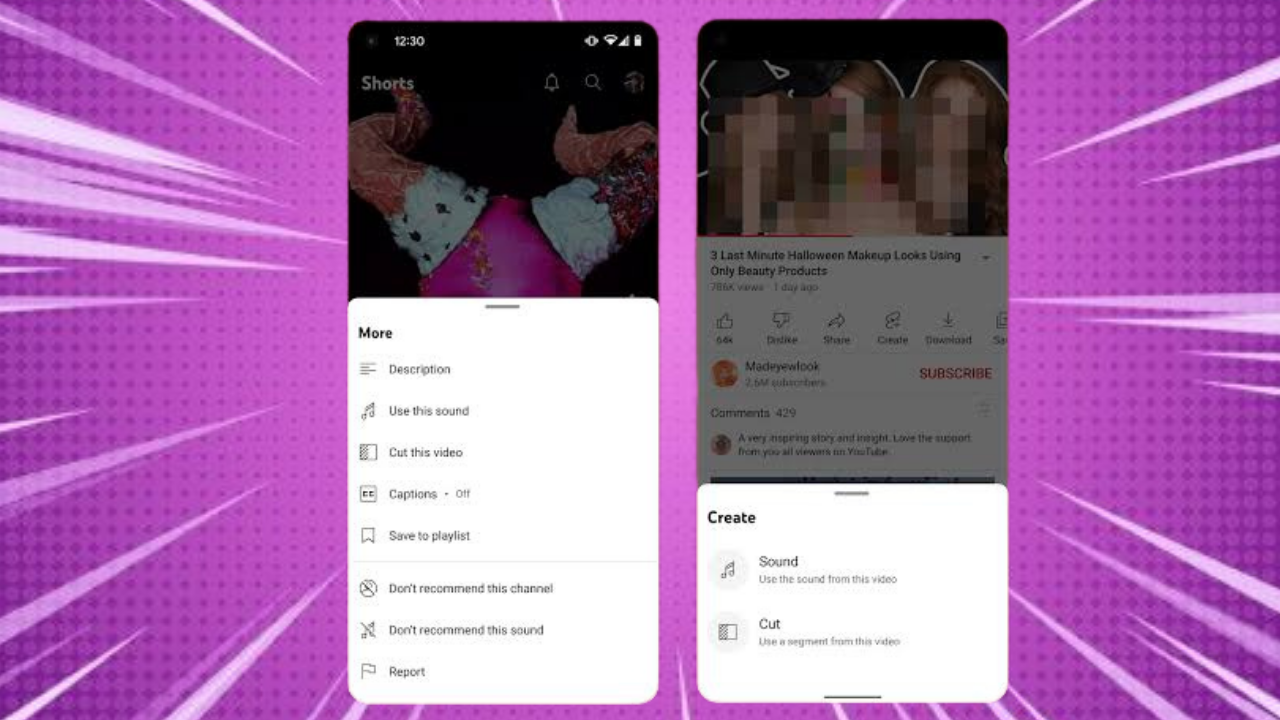
The remix option is now in a different location but within the shorts viewing experience. Instead of appearing where it previously was, as a separate option, it can now be assessed through the three-dot menu in a short. From there, creators can view the remix tools and choose the option they want to use in their videos.
Why Did YouTube Change the Remix Button Location?
For an enjoyable and easy to use experience YouTube introduces changes. Moving the remix tool can help keep the main shorts viewing screen cleaner while grouping additional options, making it more organized. However, the main agenda or reason behind the change is not publicly announced by YouTube. Hence, we cannot claim a specific reason.
Does This Change Affect Shorts Creators?
The change does not bring change to the functionality of the remix option. Creators can still benefit from it the same way; they may just need an extra tap on the screen to access it. For YouTube creators, it’s important to stay updated and keep getting familiar with the new changes so that they don’t miss an opportunity to recreate trends and interact with other creators.
Final Thoughts
YouTube’s decision to move the remix button is a small change that doesn’t interrupt any access to creators. But creators who regularly use the remix option should know where to find it, which is why staying updated on new changes is always advised.
0 comments on “YouTube moves the Remix button for shorts”
Leave a Reply
Related Posts
Is YouTube Making Shorts Revenue Harder?
YouTube: YouTube’s September Monetization Changes
YouTube Adds Amazon Affiliate Links: What Creators Need to Know
YouTube Viewership Services – how can creators boost their views?
How Samay Raina Cracked the YouTube Growth Formula





Good article, much appreciated.