





























How to Add a Link to Your Instagram Story in 2025 (Step-by-Step + Pro Tips)

Do you want to convert your Instagram followers into your daily website visitors, customers and subscribers? Instagram Link Sticker feature does exactly that. It allows you to add clickable links directly to your Story and the best part is you don’t need to have 10K followers to avail this feature.
Instagram has made this feature smarter, faster and easier for everyone. Below is a complete and updated guide with expert tips to maximize your clicks, engagement and visibility for your Stories.
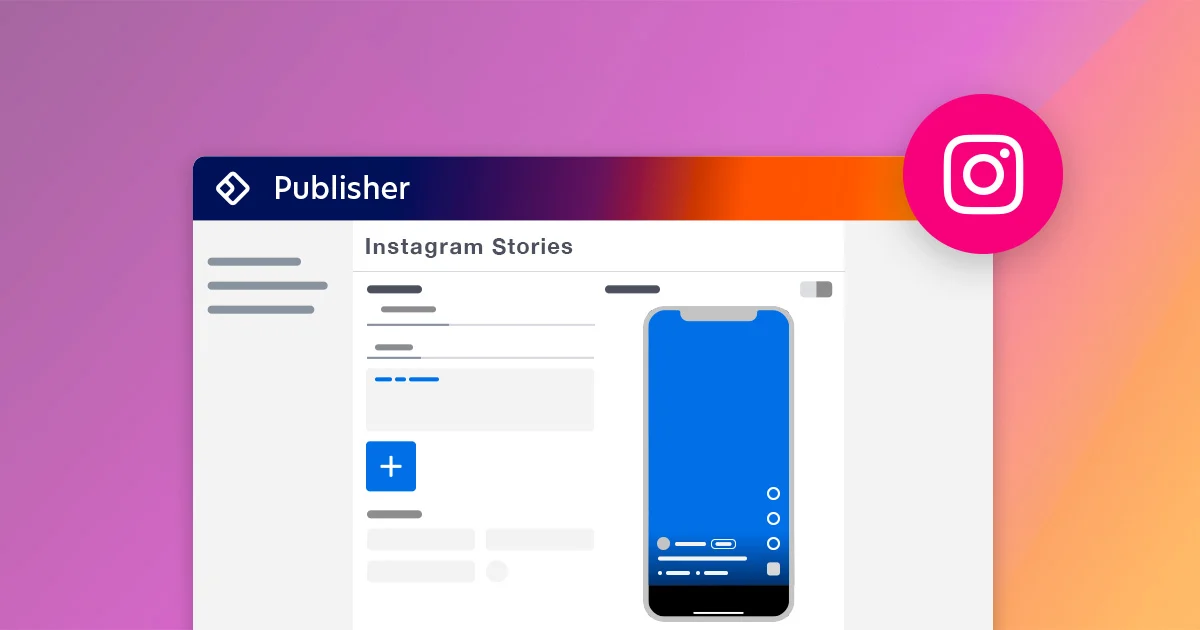
Why Instagram Story Links Matter More Than Ever
Instagram Stories have transformed from light and casual posts into a powerful way to promote your marketing strategies. Whether you are advertising a new product, a freshly published blog post or your most recent YouTube video, Story links are a great way to convert your casual viewers into your active visitors in an instant.
In 2025, Instagram has introduced some game-changing features like:
- “Custom link text”- make your Story sticker says “Read More” or “Shop Now”
- “Real-time click tracking” through Story insights
- “Multiple link stickers” per Story in some locations
Instagram is no longer just for exposure, it is aimed at driving traffic and conversions.
How to Add a Link to Your Instagram Story (2025 Updated Method)
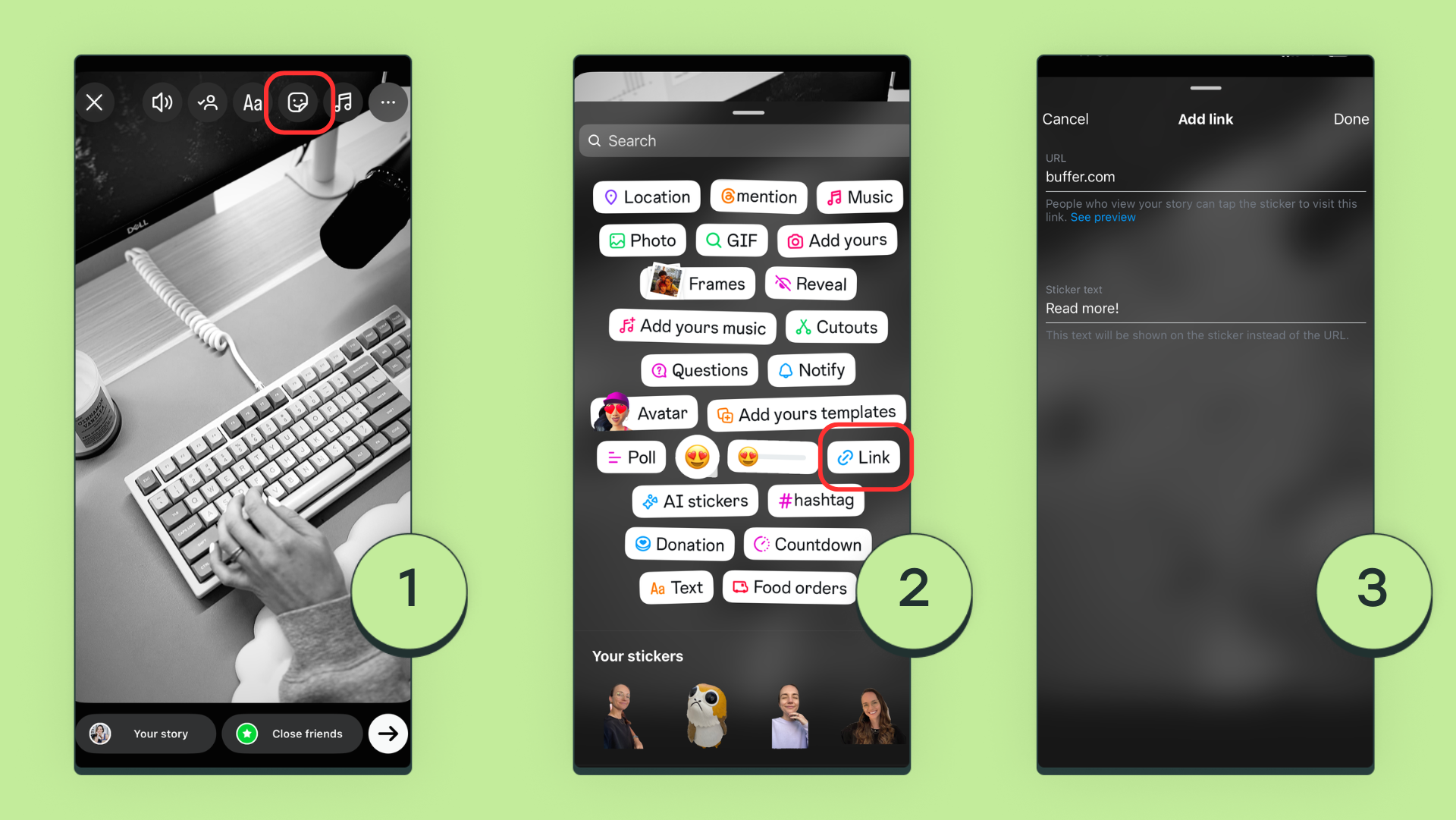
Follow these simple steps to add a clickable link to your Instagram Story:
- Open Instagram and tap the “+” icon at the top or swipe right.
- Select Story.
- Capture a photo or video or upload from your gallery.
- Tap the sticker icon (the square smiley face at the top).
- Choose the “Link” sticker from the given options.
- Paste your URL (add link to your website, product or video).
- Tap on customize sticker text below the URL.
Add a CTA, like “Tap to Learn More” or “Watch Now” as this text will be shown on the sticker instead of the URL and would help your story to avoid showing long or messy URLs.
Tap Done option on the top right to confirm your link and sticker text.
Resize and place your link sticker where you want for so that it is properly visible to your viewers.
Tap to change sticker color or design to match your theme.
Post your Story or share it only with Close Friends for exclusive drops.
Boost Your Clicks with These Optimal Approaches
Want people to not just view you story but also click and provide you with more engagement? Use these well practiced methods to boost your engagement at a faster rate:
Create captivating CTA: “Shop Now”, “Don’t Miss This”, “Get Early Access”.
Keep it organized: your link sticker should stand out, not hide behind texts, emojis or other stickers you use.
Post when it matters: check your Story Insights to find your peak audience hours to attract maximum audience.
Build curiosity first: ask a poll or a teaser question on your story first and then drop your link in the next story to build curiosity amony your followers.
Track what works for you: under Insights → Story → Interactions, watch your click data grow.
Result: Many users see a link engagement boost of 30-50% just from these recommended practices!
Avoid These Common Mistakes
With these even experienced creators can find themselves falling into these traps. Be on the lookout for:
Hiding the link sticker beneath text or emojis.
Using long or messy URLs, instead always shorten them with “customize sticker text” to keep them short and eyes-catchy.
Putting too many links as it will just confuse people.
Not having a CTA, a link with no context will almost always be left untouched.

Instagram Story Links: A Game-Changer for Creators and Brands
When you attach a link on your Instagram Story it isn’t just to get traffic but to establish a strategy too.
With customizable stickers, real-time tracking and higher engagement rates, your Story can now be a mini traffic funnel for your brand or project.
So next time you post, remember:
Don’t just tell your story — link it to something that matters.
Related Posts